

Fish Thunder X Max combines timed shooting, moving targets, weapon levels, and feature events on a screen filled with sea creatures. On JL3, members can enter available rooms, review displayed costs, and choose a firing level before joining a round. This guide is written for players seeking clear rules, useful methods, and an understanding of each session.
Introduction to Fish Thunder X Max at JL3
The game places several moving creatures onscreen while each shot uses a visible amount linked to the cannon level. Small targets appear more often, while larger creatures may require repeated hits before their value is awarded to the successful shooter. Every room presents its own limit, pace, and available feature set, so members should check the screen before starting.
Round activity changes as new targets enter, leave, overlap, or trigger special effects that alter the shooting pattern. Displayed costs may begin near PHP 1 or USD 0.02 in lower settings, though values vary by room. Clear icons, target labels, and weapon controls help players understand what is active without opening long menus.

Core rules that govern every fishing round
Each session follows a simple cycle involving target movement, shot selection, hit detection, and value settlement after capture. In Fish Thunder X Max, understanding this cycle helps members read the screen before shooting at crowded or fast-moving areas.
Target values and cannon costs
Every creature carries a displayed value or multiplier showing the possible return after a capture. Lower-value targets often move in groups, creating several aiming opportunities without requiring the strongest cannon setting. Larger targets may cross fewer times, so players need to track their path before firing several shots.
Cannon levels determine the cost of each shot, and higher settings use more PHP or USD per press. In Fish Thunder X Max, changing power should match the target size, movement speed, and remaining screen time rather than appearance. A member can switch levels between attempts, but rapid changes make total costs harder to follow.
Special entities and bonus effects
Some creatures can activate area attacks, chain captures, freezing effects, or temporary score boosts after capture. These effects usually have clear visual signals, such as a marked frame, flashing symbol, or nearby counter. Players should read those signals carefully because ordinary creatures keep moving while the feature resolves.
A bonus target can affect several nearby creatures, but its result still depends on the active rules shown inside the selected room. Fish Thunder X Max may present short feature windows where timing matters more than repeated firing everywhere. Members should focus on the marked zone and stop firing after the effect ends or moves.
Fish Thunder X Max calculation logic
The scoring system records the shot cost, captured target value, active multiplier, and any feature adjustment used during settlement. A successful hit does not always capture a creature immediately, because some targets require several impacts along their screen path. Once captured, the awarded amount appears near the target or balance area for confirmation.
View more: Fish Arena Neo X – Complete Shooting Guide For Players
Missed shots normally receive no return, while successful captures add the listed value under the current cannon level and room rules. Overlapping targets can make results difficult to read, so members should watch the onscreen notice rather than guess which creature produced the award. This approach keeps each outcome connected to visible information rather than animation size or sound effects.
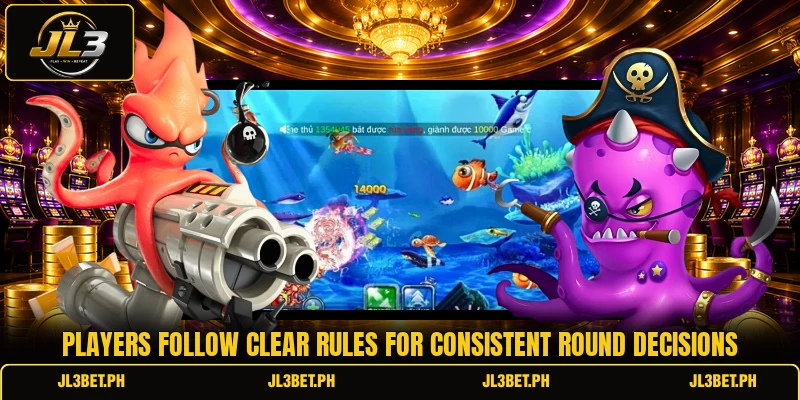
Step by step play procedures and room choices
Room selection, cannon control, aiming direction, and feature timing form the main session decisions. Fish Thunder X Max becomes easier to follow when players handle these choices in order rather than reacting to every object.
Choosing a suitable room level
Available rooms may use different shot limits, target values, entry conditions, or feature frequencies, depending on the current game setup. A lower room can show costs around PHP 1 to PHP 5, while another may display larger amounts in PHP or USD. Members should compare the minimum shot, maximum shot, and target list before entering a table with faster movement.
The selected room should also fit the member’s preferred session length and the amount needed for repeated attempts at ordinary targets. In Fish Thunder X Max, lower settings allow more shots from the same balance, while higher settings increase both cost and possible settlement. Checking these figures first prevents confusion when the cannon changes or a special target appears during an active round.
Aiming and firing with control
Aiming works best when the cursor follows a target’s direction instead of chasing its exact position after every small movement. Players can lead faster creatures by placing shots slightly ahead, especially when several targets travel along the same screen line. Short firing sequences make it easier to see whether the target remains available before another group covers the aiming area.
Automatic fire may support repeated shots, but manual control gives members clearer timing when targets enter narrow corners or crowded zones. Fish Thunder X Max rewards accurate screen reading because every unnecessary shot still uses the amount shown beside the active cannon. Players should release the fire control when a target leaves, changes direction sharply, or becomes hidden behind a larger creature.
Using functions at useful moments
Freeze tools, lightning attacks, bombs, and locked targeting can create stronger opportunities when several valuable creatures occupy the same section. Members should wait until the effect covers enough targets, since an early activation may reach only one small creature. The screen normally shows a timer or animation that indicates how long the feature remains available for additional shots.
A locked target can simplify aiming, but players still need to confirm that the chosen creature remains active and worth continued attention. In Fish Thunder X Max, feature timing should follow visible target density, movement direction, and the remaining duration shown near the control. Members can then return to normal firing once the special sequence ends, keeping each action connected to current screen conditions.

View more Category: Fish
Conclusion
Fish Thunder X Max offers a structured fishing session built around target values, cannon costs, feature effects, room limits, and clear settlement notices. Members can use JL3 to review available settings, select a suitable room, and follow each result directly from the game screen. Register an account, download the app or game client, and begin with a comfortable setting while wishing for good luck in every round.