

Sea Hunter Pro X places members inside a moving ocean scene where each shot follows a clear target and value system. The game uses changing creature paths, different cannon strengths, and short bonus moments that require careful timing rather than random firing. This article is written for members using JL3, helping players understand rules, room choices, targeting methods, and the full play sequence.
A clear overview to the Sea Hunter Pro X
The game centers on sea creatures that cross the screen at different speeds, sizes, and values while members control a selectable cannon. Each successful hit may return a displayed reward, although larger targets usually require stronger fire or repeated accurate shots. JL3 presents the title through an online interface where menus, room labels, and action buttons remain easy to identify.
The visual field in Sea Hunter Pro X changes constantly, so members must read movement before choosing a target or changing cannon power. Small creatures often appear in groups, while larger enemies may enter alone and remain visible for a shorter period. Room settings can also change shot values, target density, and available bonus events without changing the main shooting method.
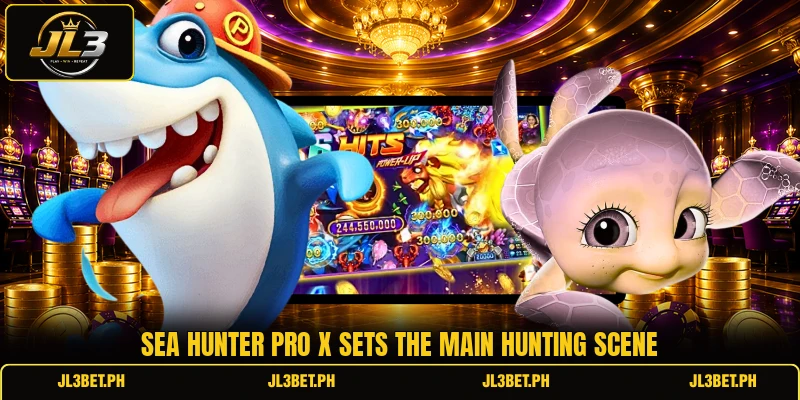
Core rules for controlled objective selection and shots
Every round follows a simple loop: select a cannon, choose a moving target, fire, and review the displayed result. Members should also read each room panel because shot costs and available features may differ across entry levels.
Sea Hunter Pro X aiming rules
A shot only affects the selected creature when the projectile connects, so direction and timing matter throughout the moving screen. Fast targets require earlier aim, while slow enemies allow members to track the body before pressing the fire control. Sea Hunter Pro X also places overlapping creatures together, which can make target selection less clear during crowded moments.
Members should avoid switching targets after every missed shot because repeated movement can reduce accuracy and waste useful firing windows. A better approach follows one creature briefly, checks its path, and changes direction only when the target leaves the active area. This method keeps each action connected to a visible reason instead of relying on constant screen tapping.
Weapon levels and shot values
Cannon levels control the value attached to each shot, and the selected amount normally appears beside the firing button. Displayed choices may include PHP 1, PHP 5, or PHP 10, while some rooms may show USD labels instead. Higher shot values do not guarantee a catch, because target movement and hit timing still affect the result.
Members can begin with a lower cannon level while reading the room, then raise the setting when a suitable target enters. This change should match the creature on screen rather than follow a fixed pattern across every round. In Sea Hunter Pro X, lower values suit frequent small targets, while stronger fire may fit larger enemies with longer exposure.
Bonus bonus animals and round timing
Bonus creatures may trigger extra shots, wider damage, temporary multipliers, or other visible events after a successful hit. Their exact effect should be read on screen because symbols and activation rules can change between room versions. In Sea Hunter Pro X, these moments often create short periods when several targets become easier to address.
View more: Ocean Hunter Max X – Rules, Rooms, And Clear Play Tips
Timing matters because a bonus target may cross behind other creatures or leave before repeated shots can connect. Members should wait for a clear line, then fire with a cannon level that matches the displayed opportunity. When the event ends, normal targeting resumes, so the next decision should follow the current screen rather than the previous effect.

Step by step gameplay for steady round control
A clear play sequence helps members understand each control before the screen becomes crowded with moving targets and bonus effects. The steps below cover room entry, cannon use, and movement reading without adding unnecessary actions.
Entering the correct room
Start by opening the game lobby and reading the available room labels, shot ranges, and entry conditions shown beside each option. Choose a level where the smallest shot value matches the amount intended for regular firing during that session. A room with PHP values should be read separately from one showing USD amounts because the displayed units guide each action.
After entry, check the cannon position, target area, automatic controls, and any bonus meter before firing the first shot. This short review prevents accidental use of a high setting or an unwanted automatic feature. Members can then test one low-value shot in Sea Hunter Pro X to confirm that the controls respond as expected.
Aiming and firing with purpose
Move the aim toward the front edge of a travelling creature rather than pointing at the space it has already crossed. This small adjustment gives the projectile time to meet the target while both objects continue moving. Sea Hunter Pro X rewards clear timing more consistently than rapid shots sent toward several unrelated directions.
Use repeated fire only when the same creature remains visible and the path offers a clean line from the cannon. Stop firing when another target blocks the route, because extra projectiles may follow the wrong movement. Manual control gives members better awareness, while automatic fire should only be used after its settings are understood.
Reading target motion patterns
Creature paths often repeat in curves, straight lines, circles, or group formations, allowing members to predict the next screen position. Watch one pattern for several seconds before changing the aim, especially when a large target enters near the edge. This reading process keeps Sea Hunter Pro X focused on observation instead of uncontrolled tapping.
Small groups can create several possible shots, but the clearest target should receive attention before the formation becomes crowded. Larger enemies may slow down near the center, offering a better firing angle than their first appearance. Members who notice these changes can make cleaner decisions and reduce shots that travel into empty space.
View more Category: Fish
Conclusion
Sea Hunter Pro X uses clear shooting controls, moving targets, room values, and timed bonus events within one consistent underwater format. Members can access the title through JL3, review the selected room, and apply each rule before increasing cannon strength. Register, download the app or game client, and begin with the lowest suitable room while aiming carefully, and good luck.